Getting started
Documentation
Define your development workflow, connect your agents, and inspect the work recorded on your issues.
Radial gives your team and your agents a shared issue tracker, a command line, a remote MCP server, and a REST API. Use these docs to define your workflow, connect it to your repository, and inspect the evidence behind a change.
Start here
| What you need | Where to start |
|---|---|
| Define how your team takes work from a request to a release | Design your development workflow |
| Configure a pipeline and record a check, including a failed attempt | Implement a workflow with Radial |
| Connect Claude Code or Codex to the shared workflow | Install agent skills |
| Read stages, gate evidence, and sessions on an issue | Build records |
See the work on an issue
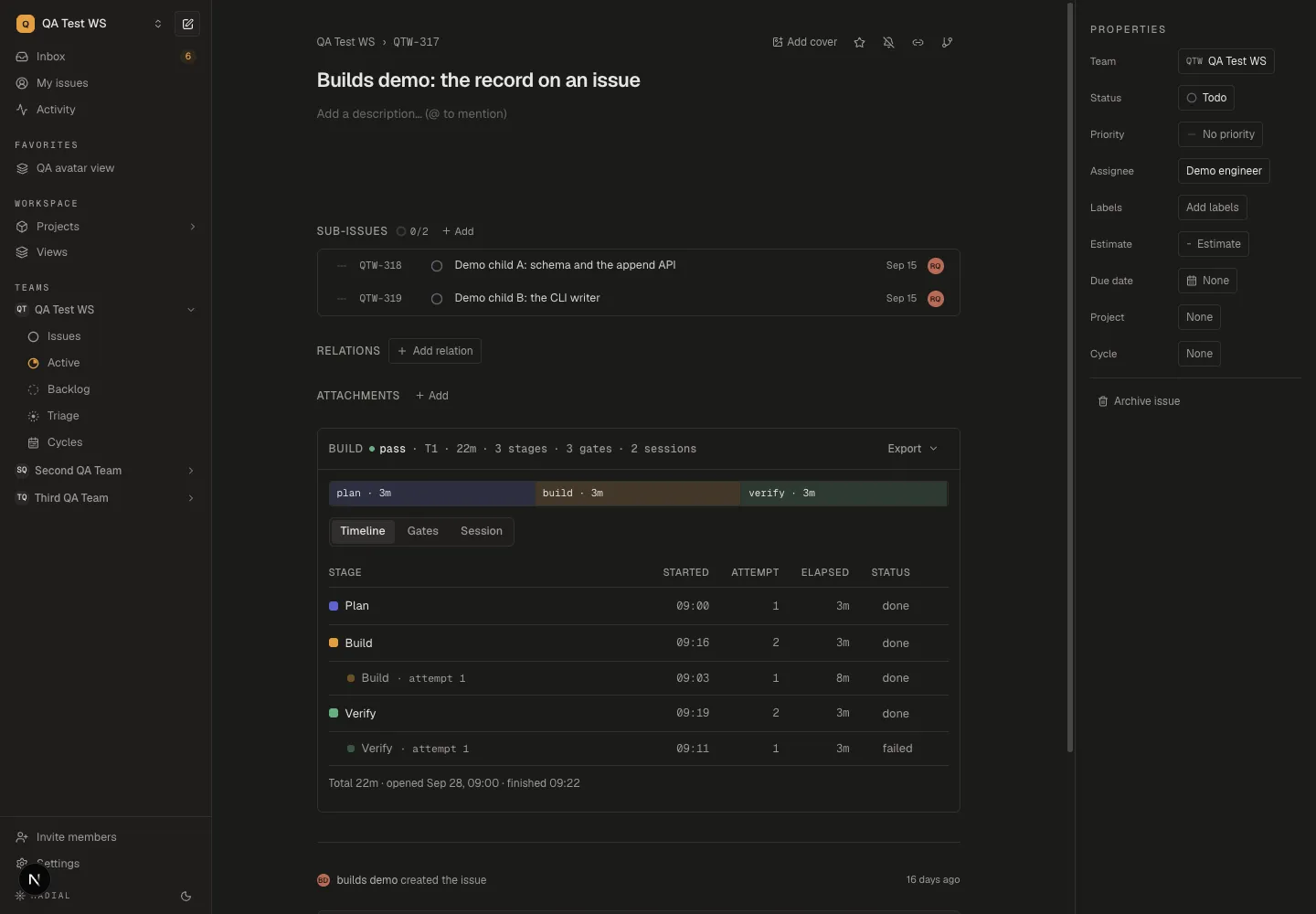
An issue with a recorded build has a Build section. Timeline shows its stages and attempts; Gates holds the check results; Session shows the captured agent conversation and usage. Start with Build records for a tour of these views.
Use the reference
Pipeline configuration defines the JSON fields and
their behavior. Agent skills lists the rd-* procedures for
planning, building, reviewing, and maintaining the backlog.
To add team rules to those procedures, use Extending a skill. The issue body and conventions describe the shared formats they read and write.
The rest of the developer surface
The CLI reference, the MCP tool list and the REST API all live on developers for now. The command you probably want first:
npm install -g radial.build && radial authNote
Every page here is also markdown. Add .md to any docs URL, or read
llms.txt for the index and llms-full.txt for the
whole corpus in one request.